
The Problem: Most Dash Cams Leave You Blind
Standard dash cams force a compromise. Choose front-only and you miss rear-end collisions. Choose front-rear dual channel and you have zero visibility inside the cabin. That leaves critical gaps:
Table
| Scenario | Front-Only | Dual Channel | What's Missing |
|---|---|---|---|
| Rear-end collision | ❌ No footage | ✅ Rear captured | ❌ No cabin context |
| Passenger dispute | ❌ No footage | ❌ No footage | ❌ No cabin evidence |
| Break-in through rear window | ❌ No footage | ✅ Rear captured | ❌ No interior view |
| Pet or child monitoring | ❌ No footage | ❌ No footage | ❌ No cabin visibility |
| Hit-and-run while parked | ❌ Limited | ⚠️ Partial | ❌ Full context |
The result? Insurance claims denied. Liability disputes lost. Moments you can never recover.

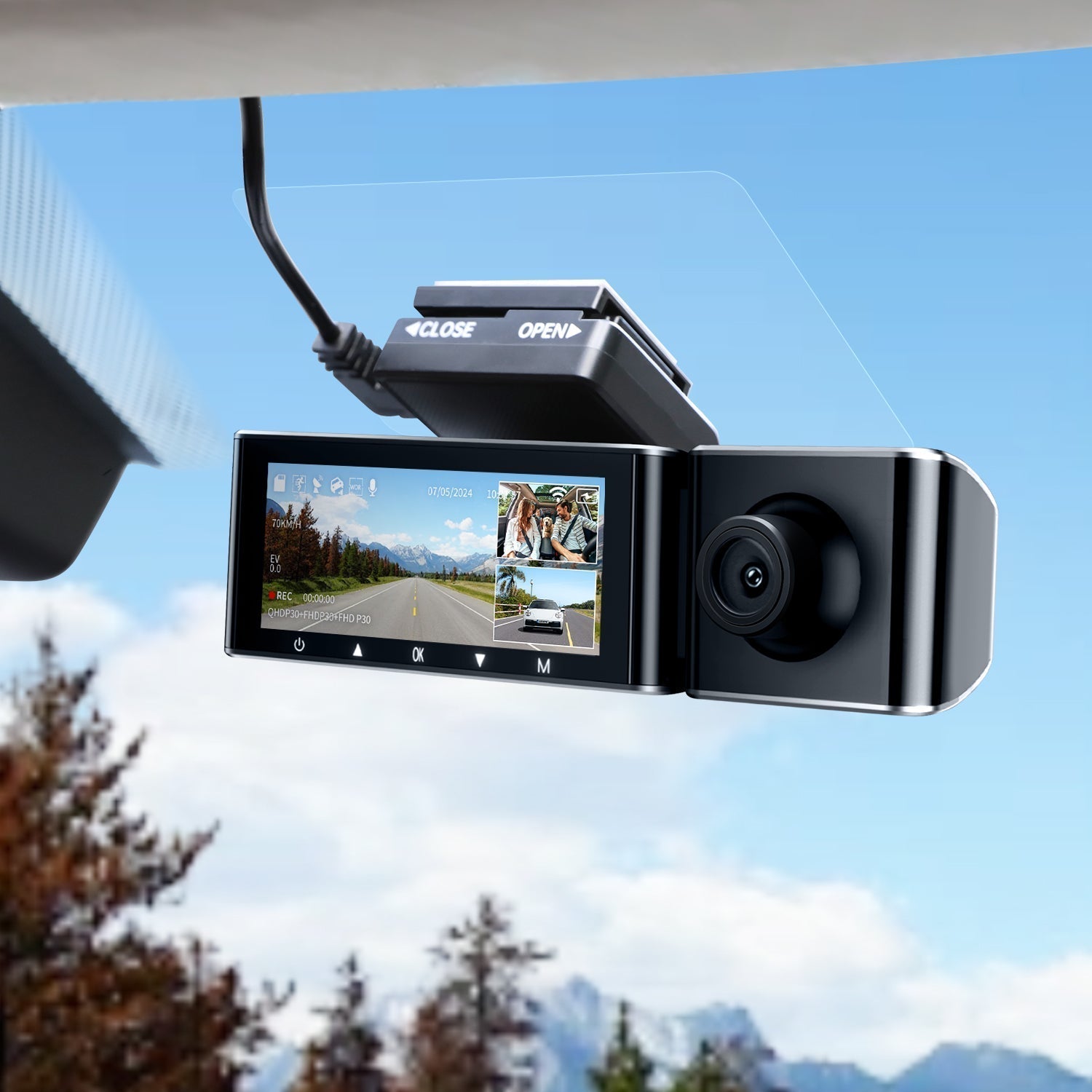
The Solution: AZDOME M550 Max 3-Channel Dash Cam
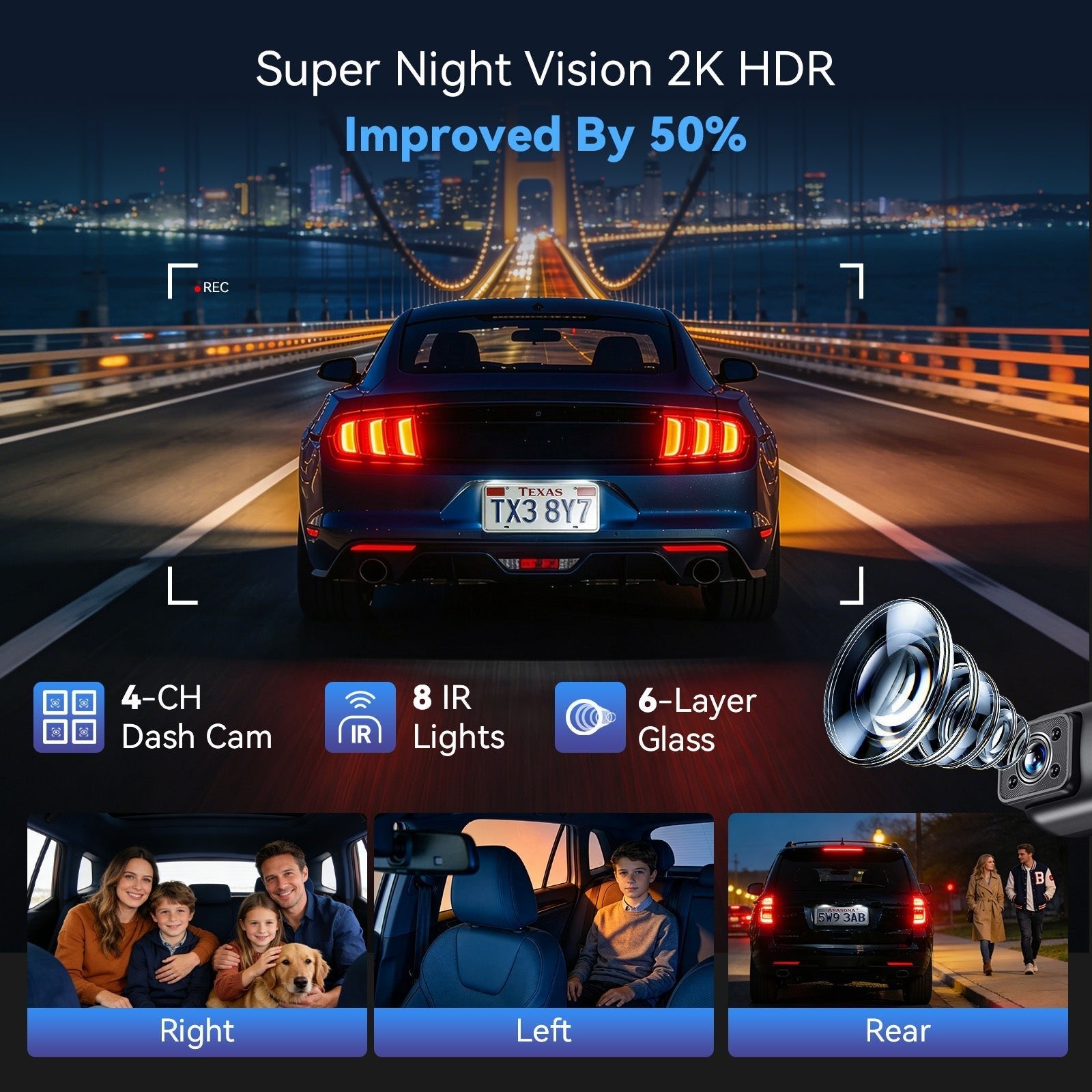
The M550 Max eliminates compromise. Three cameras. Three perspectives. Zero blind spots.
Table
| Camera | Resolution | Purpose | Field of View |
|---|---|---|---|
| Front | 4K Ultra HD (3840×2160) | Road ahead, license plates, signage | 150° |
| Cabin | 1080P Full HD + 6 IR LEDs | Passengers, interior, night vision | 150° |
| Rear | 2.5K Quad HD (2560×1440) | Tailgaters, rear collisions, parking | 150° |
Combined coverage: 450° of synchronized protection.
Front Camera: 4K That Holds Up in Court
The front 4K sensor captures the detail that matters when it matters:
-
License plates at 50+ feet, even in motion
-
Street signs and traffic signals for dispute resolution
-
Road conditions and weather context
-
Low-light clarity via wide dynamic range (WDR)
Resolution comparison: 4K delivers 4x the pixels of 1080P. Zoom in on footage without losing the detail that wins claims.150° Wide Angle: Eliminate Blind Spots
Each M550 Max camera uses a 150° ultra-wide lens. Combined, they cover what 2-channel systems simply cannot:Standard Dual Channel: M550 Max 3-Channel: [Front 140°] [Front 150°] ↓ [Cabin 150°] [Rear 140°] [Rear 150°] Gaps: Cabin blind Gaps: NONE Side vulnerabilities Full 450° coverage
Smart Features Beyond Recording
Feature Function 5GHz WiFi Instant footage download to smartphone Built-in GPS Speed and location embedded in every file 24H Parking Mode Time-lapse + impact detection while parked G-Sensor Auto-locks footage during collisions 3.19" IPS Screen Live viewing and playback without app 64GB Card Included Ready to record out of the box
M550 Max vs. Competitors
Spec AZDOME M550 Max Viofo A229 Pro Vantrue N4 Pro Channels 3 (4K+1080P+2.5K) 2-3 (4K+2K) 3 (4K+1080P+1080P) Cabin Resolution 1080P + IR Optional add-on 1080P (no IR) Rear Resolution 2.5K 2K 1080P WiFi 5GHz 5GHz 5GHz Screen 3.19" IPS 2.45" IPS 3.16" IPS IR Night Vision ✅ 6 LEDs ❌ ❌ Price $$$ $$$$ $$$$
Real-World Scenarios: Why 3 Channels Win
Incident 2-Channel Result M550 Max Result Rear-end collision + passenger injury Rear footage only, no cabin context Front impact + cabin injury documentation + rear liability Rideshare false claim He-said/she-said Video + audio evidence of entire interaction Parking lot hit-and-run Front or rear only Full perimeter coverage, including cabin witness Break-in through rear window Partial rear footage Rear entry + cabin intruder identification Teen driver accident No interior view Full driver behavior + road context
Installation: Ready in 15 Minutes
The M550 Max includes everything for DIY setup:
Frequently Asked Questions
Is the cabin camera legal? Video recording is legal in all 50 states. Audio recording requires consent in some states—disable audio if needed.Can I turn off the cabin camera? Yes. Record each channel independently or simultaneously via settings.Does IR night vision work through tinted windows? The cabin camera is interior-facing and works regardless of window tint.How much storage do I need?
Final Verdict: Who Should Buy the M550 Max?
Buyer Priority M550 Max Fit Rideshare driver Passenger safety, dispute protection ⭐⭐⭐⭐⭐ Essential Parent/teen driver Accountability, peace of mind ⭐⭐⭐⭐⭐ Ideal Fleet manager Driver monitoring, liability reduction ⭐⭐⭐⭐⭐ Perfect Daily commuter Complete protection, no compromises ⭐⭐⭐⭐⭐ Best value Budget buyer Basic front-only needs ⭐⭐⭐ Consider PG16
Stop Settling for Partial Protection
Every drive carries risk. Every parking spot hides vulnerability. The AZDOME M550 Max ensures you never wonder "what happened?"—you'll know, with clarity, from every angle.🛒 Shop AZDOME M550 Max Now →
📦 Free shipping on U.S. orders over $30
Related Articles


Leave a comment
This site is protected by hCaptcha and the hCaptcha Privacy Policy and Terms of Service apply.